Custom Domains in Plotly Cloud
Your apps, your domain. You can now serve your team's Dash apps at URLs on a domain you own — like sales.example.com— instead of the default .plotly.app address.
Custom URLs at the .plotly.app address are now available in the Free tier, and full custom domains are available in the Pro tier and above.
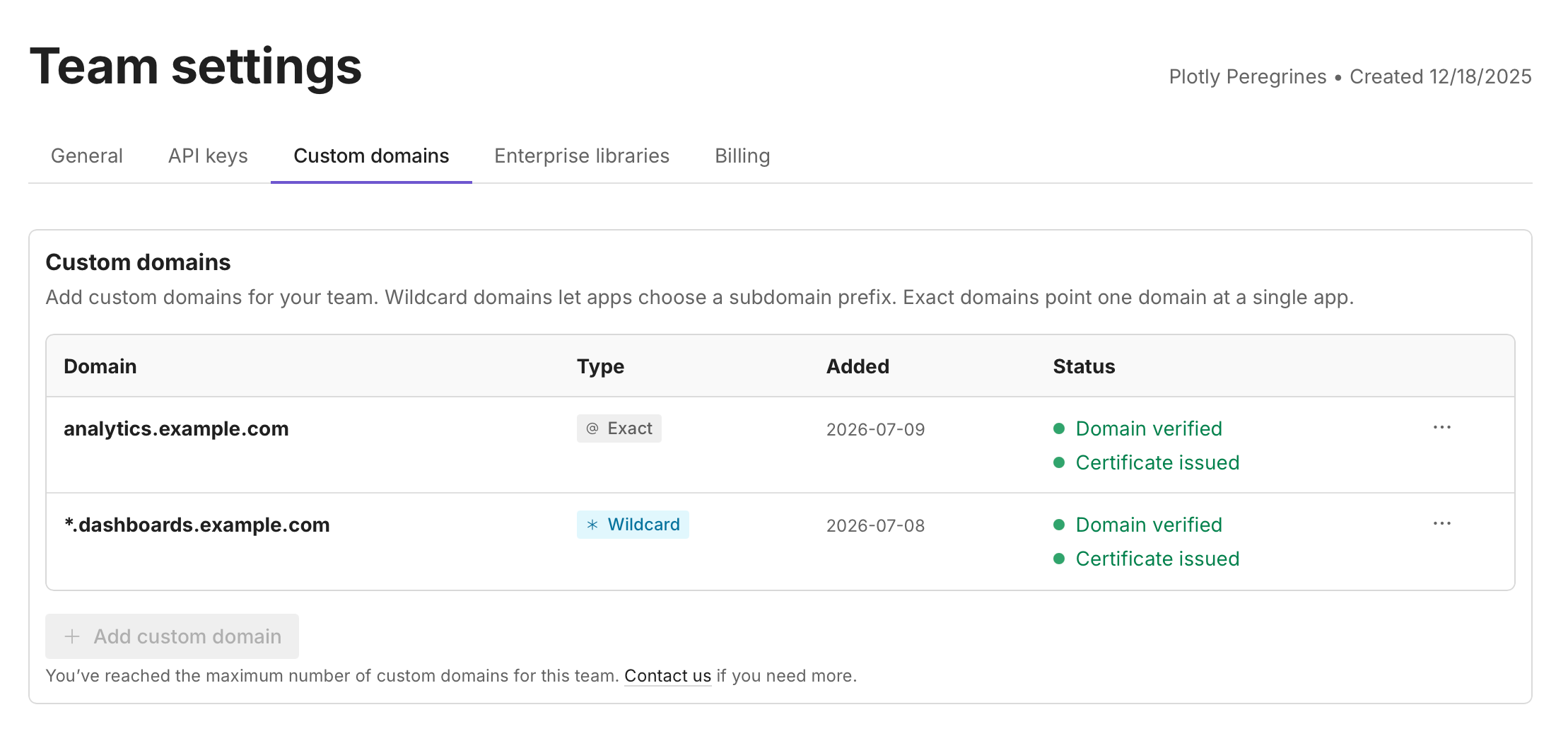
With Custom Domains, a Creator adds a domain once in Team settings, and any app in the team can use it. Plotly Cloud verifies your DNS records automatically and provisions and renews TLS certificates for you, so your apps are served over HTTPS with no extra steps.
Two domain types to fit how your team works:
Wildcard domain (like
*.dashboards.example.com): verify it once, and every app can pick its own subdomain —sales.dashboards.example.com,finance.dashboards.example.com— with no additional DNS changes. Ideal for a shared, self-service namespace for your team's apps.Exact domain (like
dashboard.example.com): a dedicated URL for a single app.
Setup is quick: add the domain in the Custom domains tab of your Team settings, create two CNAME records with your DNS provider, and Plotly Cloud handles the rest. Once verified, assign the domain to any app from its Settings > Generaltab — and don't worry, the app stays reachable at its .plotly.app URL too, so existing links keep working.
Custom domains are available now on plans that include them — see plotly.com/pricing for details.
👉 Head to the Custom domains tab in your Team settings to add your first domain, or read the guide to learn more.