Plotly Studio v0.0.80: Smarter AI responses and personalized sessions
New Features
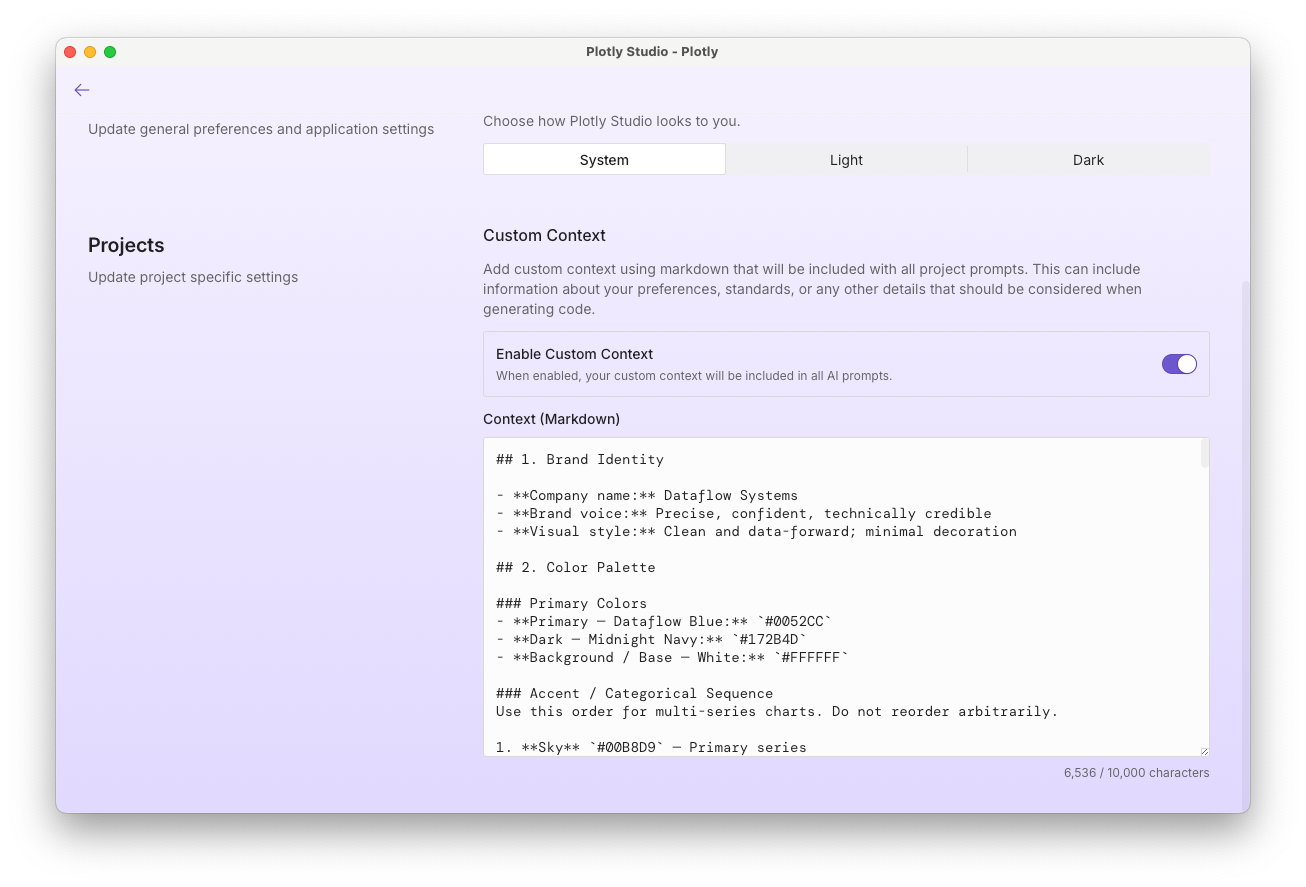
Your preferences now follow you across sessions. You can add personal context to your Studio settings. You can add things like preferred color schemes, data conventions, or output formatting rules, and the AI will apply them automatically in every session without you having to repeat yourself each time.
Improvements
Longer AI responses now complete reliably. When Studio's AI hits a length limit mid-response, it automatically picks up where it left off, so complex code generation and multi-step analyses are no longer cut short without explanation. If a response still can't complete, you'll see a clear message instead of a silent truncation.
Sessions start faster. Studio now handles chart-rendering setup before a session begins rather than during it, which noticeably reduces the time before you can start working.
Your prompts are better protected. Studio has expanded the masking of user-entered text in its analytics pipeline, so the content of your queries is not captured in usage data.
Error messages in the footer are now context-aware. The footer shows "click for details" when an error is collapsed and "click to hide" when it's open, making it easier to tell at a glance what action is available.
Fixes
Fixed an issue where switching between Dash Enterprise and Plotly Cloud authentication could leave stale settings behind, causing unexpected behavior until you logged out and back in.
Fixed a stuck "Loading…" state that appeared on sessions requiring credentials, and resolved a related issue where the credentials prompt didn't appear correctly when previewing an app.
Fixed intermittent delays and errors during chart export and code execution caused by unhandled edge cases in the rendering engine.